In this section: How to: |
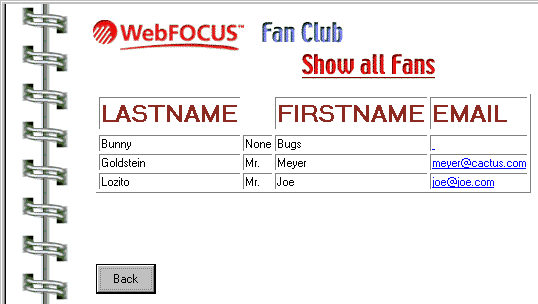
In the previous section, you added a welcome screen to your application with four menu options. One of these options, Show all Fans, does not do anything. You are going to add another form to your application that displays the results of a WebFOCUS report. This report procedure, fanrpt.fex, is one of the sample files that came with WebFOCUS. The front end of the Show all Fans menu item is shown in the following image.
You can use the results of a WebFOCUS procedure in your application in one of two ways:
The stack can be named anything, but the column in the report must be named HTML.
The report must have the line:
ON TABLE PCHOLD FORMAT HTMTABLE
The report must have the line:
ON TABLE PCHOLD
Up until this point, you have created data source stacks based on the fields of a data source. For this stack, you will create a custom column.
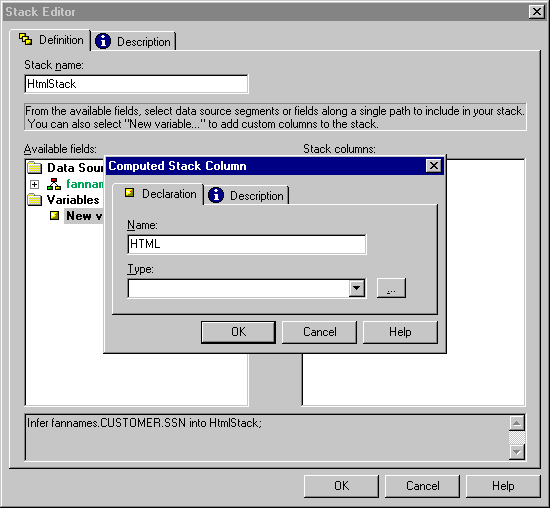
 to open the Type Wizard. The Type Wizard helps you assign a data type to your new column.
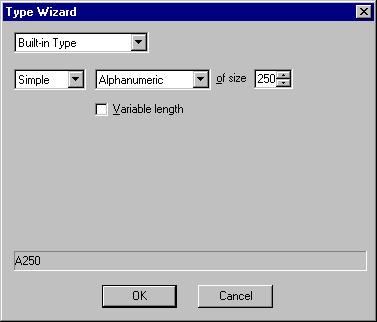
Notice at the bottom of the dialog box, that the Type Wizard uses an abbreviation of A250 to represent your data type choice.
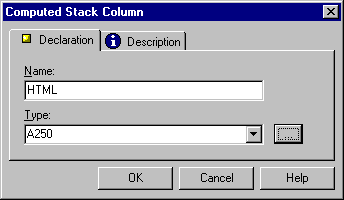
Notice that the Type Wizard has transferred the A250 to the Type box. If you know the WebFOCUS abbreviation for your data type, you can type it directly here, as shown in the following image. You will also notice, as you continue to work in a project, that WebFOCUS Maintain saves the data types you have applied and lists them.
EXEC fanrpt INTO HTMLSTACK;
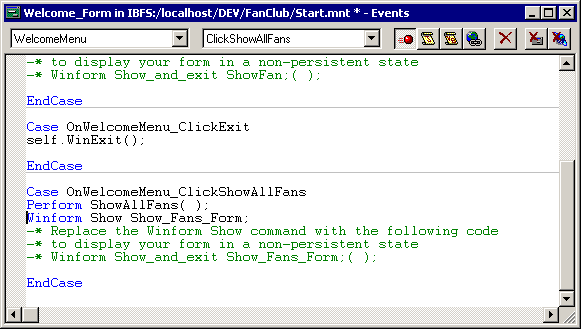
Executing the ShowAllFans function runs the report and returns the results to HtmlStack.
 , and draw a box on your form.
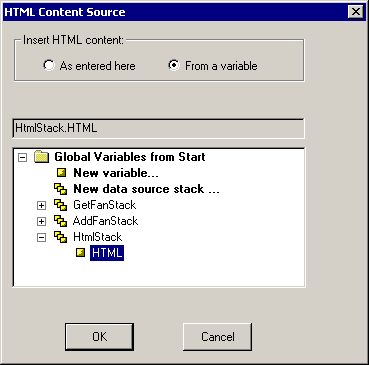
The HTML Content Source dialog box enables you to specify HTML code that determines what the HTML Object displays. You could enter it directly here, but you want to use the report output from fanrpt.
How to: |
If you run your application, and enter and leave Show_Fans_Form multiple times in one session, you will notice that Show_Fans_Form displays multiple copies of the report.
Each time you enter Show_Fans_Form, WebFOCUS Maintain re-executes the report and places it in HtmlStack.HTML. This is Maintain language shorthand for the HTML column of the stack HtmlStack. However, since you did not clear the contents of HtmlStack.HTML before re-executing the report, the new report results get appended to whatever is already in the stack. You must clear HtmlStack before executing the report.
Stack clear HtmlStack ;
You can either type this code or use the Language Wizard to enter it.
| WebFOCUS |