axisname: {
majorGrid: {
  visible: boolean1,
  aboveRisers: boolean2,
  lineStyle: {
    width: wmnumber,
    color: 'cmstring',
    dash: 'dstring'
   },
  ticks: {
    length: lnumber,
    visible: boolean3,
    style: 'sstring',
    lineStyle: {
      width: wtumber,
      color: 'ctstring'}
    }
  }
}
where;
- axisname
Can be:
- xaxisOrdinal
- xaxisNumeric
- yaxis
- y2axis
- zaxisOrdinal
- boolean1
Controls the visibility of the major grid lines. The default depends on the type of chart being generated. Valid values are:
- true, which draws the major grid lines.
- false, which does not draw the major grid lines.
- boolean2
Controls whether the grid lines are drawn in front of or in back of the risers Valid values are:
- true, which draws major grid lines on top of the risers.
- false, which draws major grid lines behind the risers. This is the default value.
- wmnumber
Is a number that defines the width of major grid lines in pixels. The default value is 1.
- 'cmstring'
Is a string that defines the color of major grid lines using a color name or numeric specification string. The default value is 'rgba(255, 255, 255, 0.3)'.
For information about defining colors, see Colors and Gradients.
- 'dstring'
Is a string that defines the dash style. The default value is '' (which generates a solid line). Use a string of numbers that defines the width of a dash followed by the width of the gap between dashes (for example, dash: '1 1' draws a dotted line).
- lnumber
Is a number that defines the length of tick marks in pixels. The default value is 5.
- boolean3
Controls the visibility of tick marks. Valid values are
- true, which draws the tick marks. This is the default value.
- false, which does not draw the tick marks.
- 'sstring'
Is a string that defines the tick mark style. The default depends on the type of chart being generated. Valid values are:
- 'inner', which places the tick marks inside the major grid lines. This is the default value.
- 'outer', which places the tick marks outside of the major grid lines.
- 'span', which places half of each tick mark outside the major grid lines, and half of the tick mark inside the major grid lines.
- wtumber
Is a number that defines the width of the tick marks in pixels. The default value is 1.
- 'ctstring'
Is a string that defines the color of tick marks using a color name or numeric specification string. The default value is 'black'.
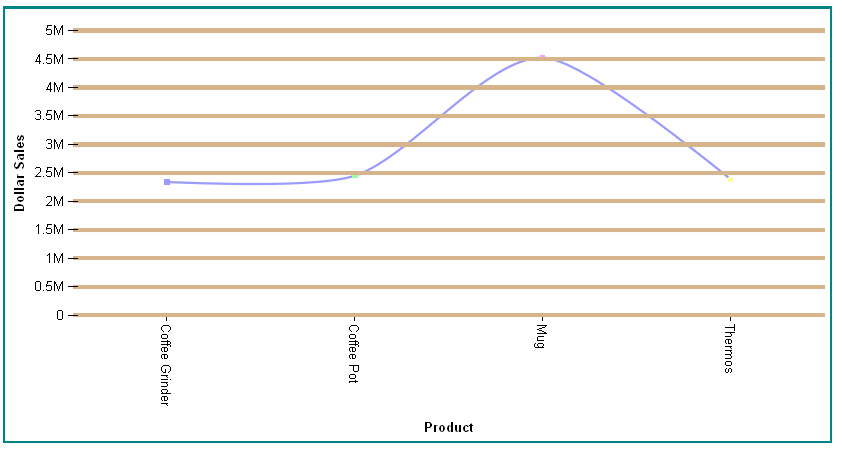
The following request against the GGSALES data source makes the major grid lines visible, 4 pixels wide, in front of the risers, and tan. The tick mark style is 'span', so they are both outside and inside the grid lines:
GRAPH FILE GGSALES
SUM DOLLARS
BY PRODUCT
WHERE CATEGORY EQ 'Gifts'
ON GRAPH PCHOLD FORMAT JSCHART
ON GRAPH SET LOOKGRAPH VLINE
ON GRAPH SET STYLE *
*GRAPH_JS
border: {width: 2, color: 'teal'},
blaProperties: {lineConnection: 'curved'},
yaxis: {title: {visible: true},
  majorGrid: {visible:true,aboveRisers: true, lineStyle: {width: 4, color: 'tan'},
  ticks: {style: 'span'}}
  },
*END
ENDSTYLE
END
The output is:
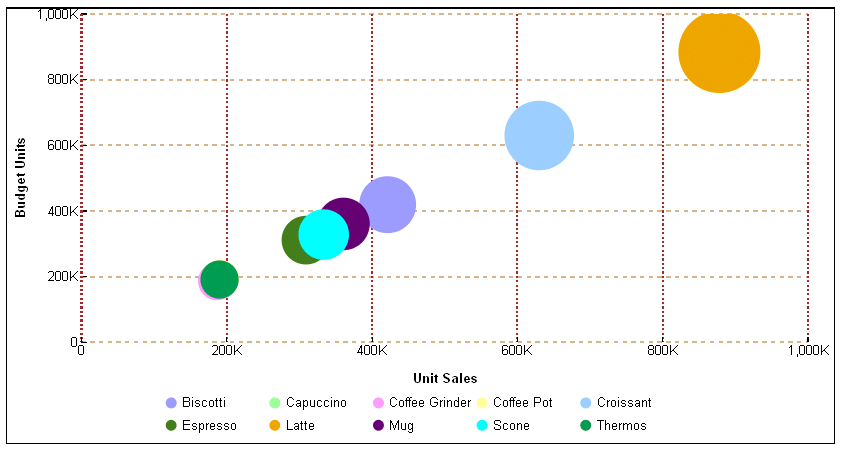
The following request formats the x-axis and y-axis major grid lines in a bubble chart:
GRAPH FILE GGSALES
SUM  UNITS BUDUNITS
AND COMPUTE
MUNITS = UNITS;
BY PRODUCT
ON GRAPH PCHOLD FORMAT JSCHART
ON GRAPH SET LOOKGRAPH BUBBLE
ON GRAPH SET STYLE *
*GRAPH_JS
series: [{series: 'all', marker: {shape: 'circle'}}],
 xaxisNumeric: {title: {visible: true},
  majorGrid: {lineStyle: {width: 2, color: 'brown', dash: '2 2'}}},
yaxis: {title: {visible: true},
  majorGrid: {lineStyle: {width: 2, color: 'tan', dash: '4 4'}}},
*END
ENDSTYLE
END
The output is:
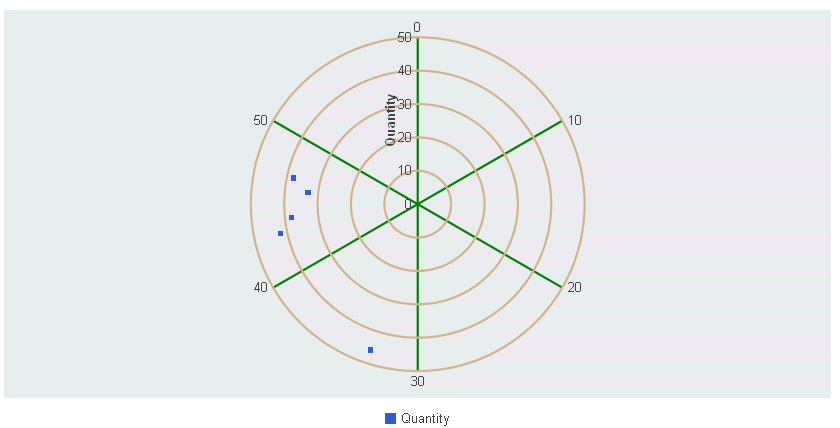
The following request generates a polar chart in which the y-axis major grid lines are tan and the x-axis major grid lines are green:
GRAPH FILE GGORDER
PRINT QUANTITY AS 'Quantity'
ACROSS PRODUCT_CODE
WHERE PRODUCT_CODE EQ 'B144'
WHERE QUANTITY LT 51
ON GRAPH PCHOLD FORMAT JSCHART
ON GRAPH SET LOOKGRAPH POLAR
ON GRAPH SET STYLE *
*GRAPH_JS

polarProperties: {
   straightGridLines: false,
   extrudeAxisLabels: false
},
  xaxisNumeric: {title: {visible: true},
  majorGrid: {aboveRisers: false, lineStyle: {width: 2, color: 'green'}}},
yaxis: {title: {visible: true},
  majorGrid: {aboveRisers: false, lineStyle: {width: 2, color: 'tan'}}},
*END
INCLUDE=ENIADefault_combine.sty,$
ENDSTYLE
END
The output is: